

Benefits of Using Dedicated PDF Software
If you’re only using a web browser to open PDFs, you’re hitting a wall every time you need to actually do something with the file. Upgrading to a dedicated tool changes your workflow in three immediate ways:- Total Content Control: Stop just "viewing" files. High-quality software lets you fix typos, swap out images, and rearrange pages as easily as editing a slide deck.
- File Shrinking & Conversion: Quickly turn a 50MB scan into a 2MB email-friendly file, or flip a PDF back into an editable Word doc without ruining the formatting.
- Sign & Secure in Seconds: Skip the "print-sign-scan" loop. Drop in a verified digital signature and redact sensitive info permanently so it can't be recovered.
Foxit PDF Editor – The Precision Powerhouse for Enterprise
 If Acrobat is the "industry giant," Foxit is the "refined specialist." In 2026, Foxit remains the most formidable 1:1 competitor for power users who cannot afford to lose a single feature—like Bates numbering, advanced redaction, or industry-standard compliance (PDF/A, X, E).
The Deep Dive: Foxit’s strongest asset is its rendering engine, which consistently loads 500+ page documents faster than Acrobat. Its interface mimics Microsoft Office so closely that the "learning curve" is virtually non-existent for corporate staff.
If Acrobat is the "industry giant," Foxit is the "refined specialist." In 2026, Foxit remains the most formidable 1:1 competitor for power users who cannot afford to lose a single feature—like Bates numbering, advanced redaction, or industry-standard compliance (PDF/A, X, E).
The Deep Dive: Foxit’s strongest asset is its rendering engine, which consistently loads 500+ page documents faster than Acrobat. Its interface mimics Microsoft Office so closely that the "learning curve" is virtually non-existent for corporate staff.
Key Capabilities:
- Smart Redaction: Uses AI to identify and black out PII (Personally Identifiable Information) across thousands of pages automatically.
- Industry-Leading OCR: Exceptional at handling complex table structures in scanned documents where other tools fail.
PDF Agile – The High-Performance Engine for Heavy Workloads
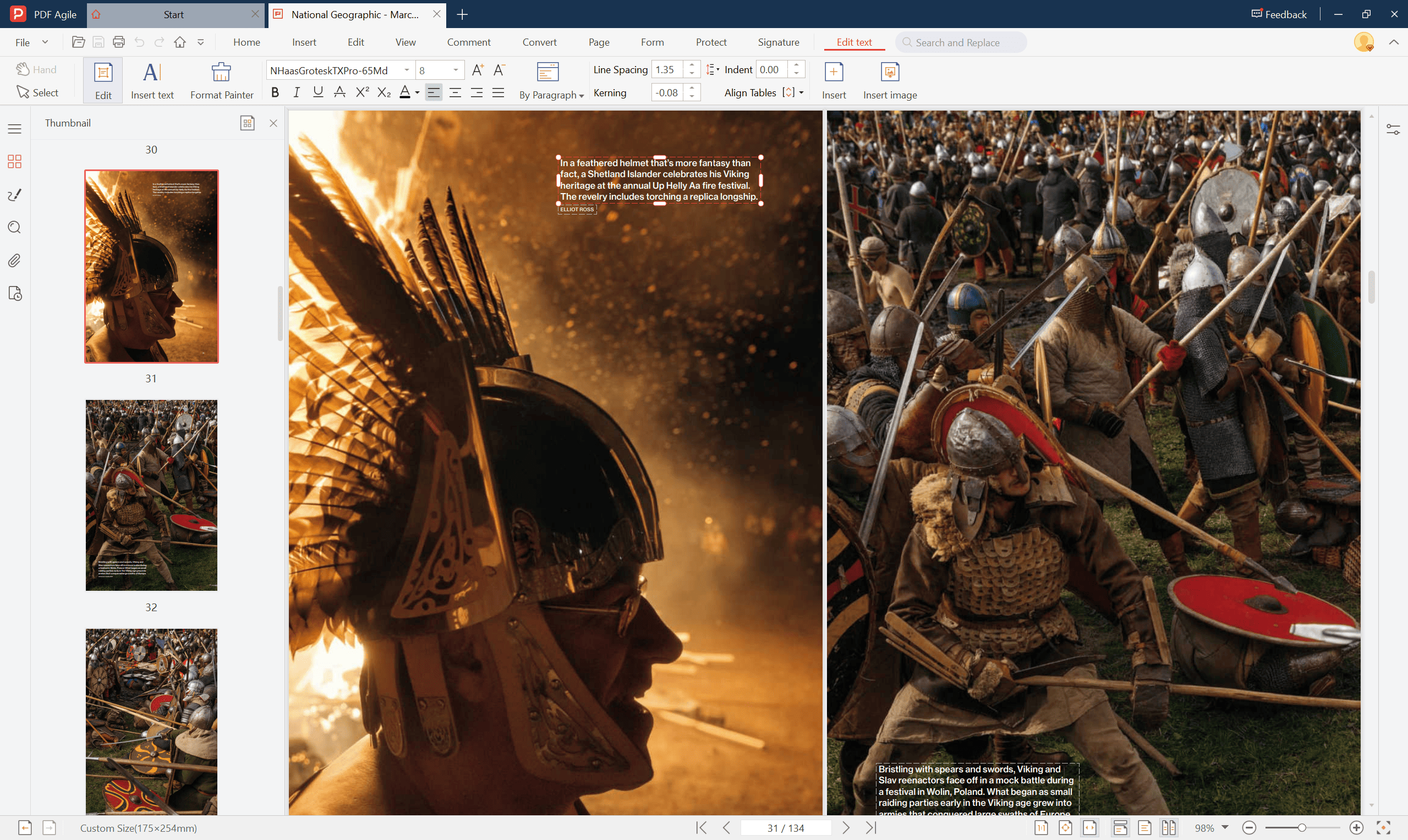 PDF Agile has secured its spot as a top contender in 2026 by solving the "Performance Bottleneck." While many editors crash or stutter when handling large files, PDF Agile is engineered for raw speed and stability.
The Deep Dive: PDF Agile’s competitive edge lies in its industry-leading source code and exceptional architectural stability. It is specifically optimized for high-pressure workflows, capable of opening massive, multi-gigabyte (5GB+) PDF files in milliseconds. Its efficiency extends to its batch-processing engine, allowing users to perform complex operations across dozens of documents simultaneously.
PDF Agile has secured its spot as a top contender in 2026 by solving the "Performance Bottleneck." While many editors crash or stutter when handling large files, PDF Agile is engineered for raw speed and stability.
The Deep Dive: PDF Agile’s competitive edge lies in its industry-leading source code and exceptional architectural stability. It is specifically optimized for high-pressure workflows, capable of opening massive, multi-gigabyte (5GB+) PDF files in milliseconds. Its efficiency extends to its batch-processing engine, allowing users to perform complex operations across dozens of documents simultaneously.
Key Capabilities:
- High-Capacity Stability: The only editor in its price range designed to edit and render files exceeding 5GB without freezing.
- Authentic Text Reflow: Treats text like fluid content, allowing you to edit paragraphs with the same logic as Microsoft Word.
- Advanced Conversion: Preserves complex grid structures when converting heavy PDFs to Excel, PPT, or Word.
Exclusive Offer: Ready to upgrade your workflow? Use code DWGFV20%OFF at checkout to get 20% OFF when you subscribe to a PDF Agile Annual or Semi-Annual Plan.
Nitro PDF – The King of Bulk Workflow
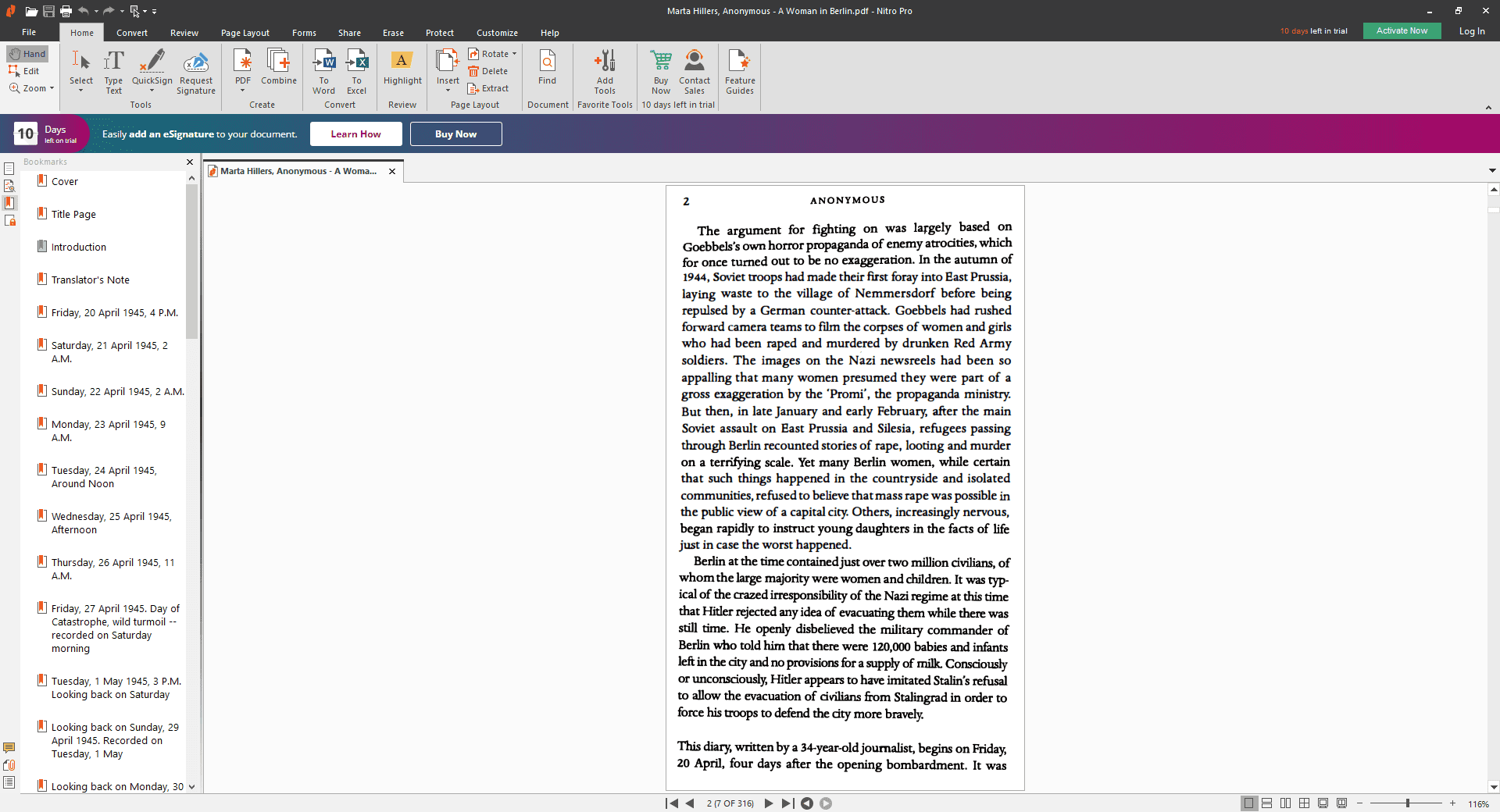 Nitro is built for the "high-velocity" office. It is arguably the best tool for teams that need to manage massive batches of contracts or invoices simultaneously.
The Deep Dive: Nitro’s Bulk Sign and Bulk Convert features are significantly more intuitive than Acrobat’s "Action Wizard." Its pricing model is its biggest weapon—offering a perpetual (one-time) license that many enterprises prefer over Adobe’s subscription model.
Nitro is built for the "high-velocity" office. It is arguably the best tool for teams that need to manage massive batches of contracts or invoices simultaneously.
The Deep Dive: Nitro’s Bulk Sign and Bulk Convert features are significantly more intuitive than Acrobat’s "Action Wizard." Its pricing model is its biggest weapon—offering a perpetual (one-time) license that many enterprises prefer over Adobe’s subscription model.
Key Capabilities:
- Nitro Sign Integration: A built-in, legal-grade e-signature platform that rivals DocuSign.
- System-Wide Compatibility: Highly stable Windows integration that rarely crashes during CAD-to-PDF conversions.
Soda PDF – The Cloud-Desktop Hybrid
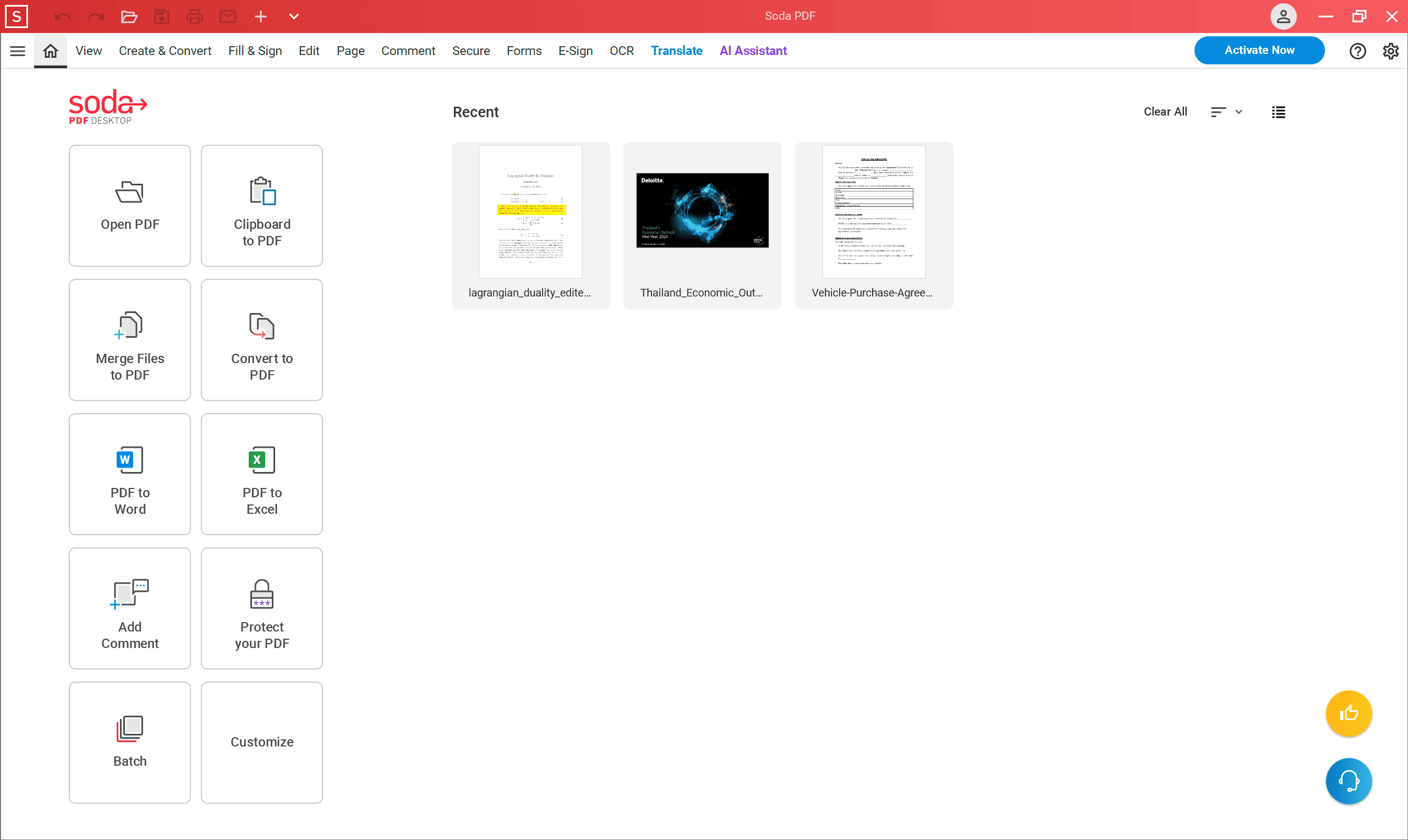 Soda PDF offers a fully functional desktop application and a mirror-image web version, ensuring your workflow isn't interrupted when you switch devices.
The Deep Dive: Unlike Acrobat, where the web version feels like a "lite" app, Soda PDF Online offers nearly 100% feature parity with its desktop counterpart. It features a unique "3D Page Flip" reader technology for a more natural reading experience.
Soda PDF offers a fully functional desktop application and a mirror-image web version, ensuring your workflow isn't interrupted when you switch devices.
The Deep Dive: Unlike Acrobat, where the web version feels like a "lite" app, Soda PDF Online offers nearly 100% feature parity with its desktop counterpart. It features a unique "3D Page Flip" reader technology for a more natural reading experience.
Key Capabilities:
- Cross-Device Parity: Start editing on your desktop and finish on the web without losing formatting.
- E-Sign Manager: A robust tool for tracking signature requests and approvals in real-time.
Sejda PDF – The Surgical Tool for Quick Online Fixes
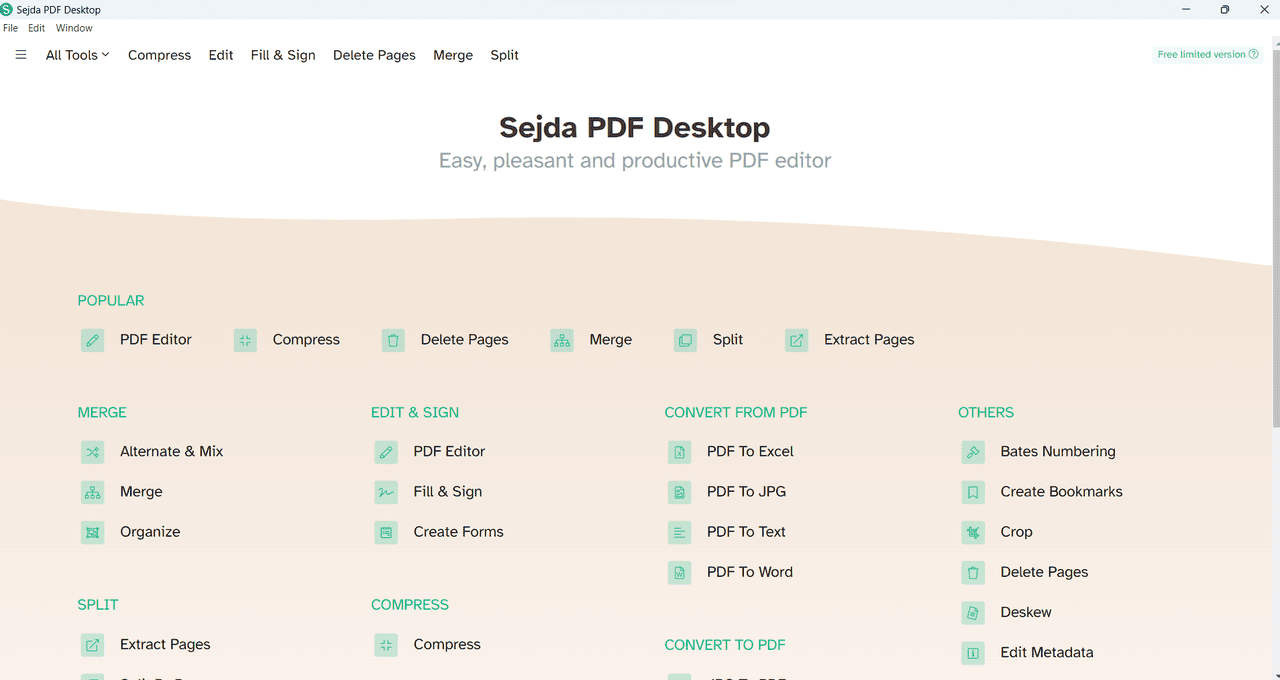 Sejda operates as a "surgical" web-based tool. It is specifically designed for users who need to perform direct text manipulation without installing a full office suite.
The Deep Dive: Sejda’s Direct Text Engine attempts to identify and replace the original font and spacing of the PDF rather than just overlaying text boxes. It features excellent font-matching for specialized legal and medical typefaces.
Sejda operates as a "surgical" web-based tool. It is specifically designed for users who need to perform direct text manipulation without installing a full office suite.
The Deep Dive: Sejda’s Direct Text Engine attempts to identify and replace the original font and spacing of the PDF rather than just overlaying text boxes. It features excellent font-matching for specialized legal and medical typefaces.
Key Capabilities:
- Browser-Based Power: Perform 90% of Acrobat's text-editing tasks without an installation.
- Automated Document Expiration: Files are automatically deleted after two hours for enhanced security.
Wondershare PDFelement – The Hybrid for Design and Data
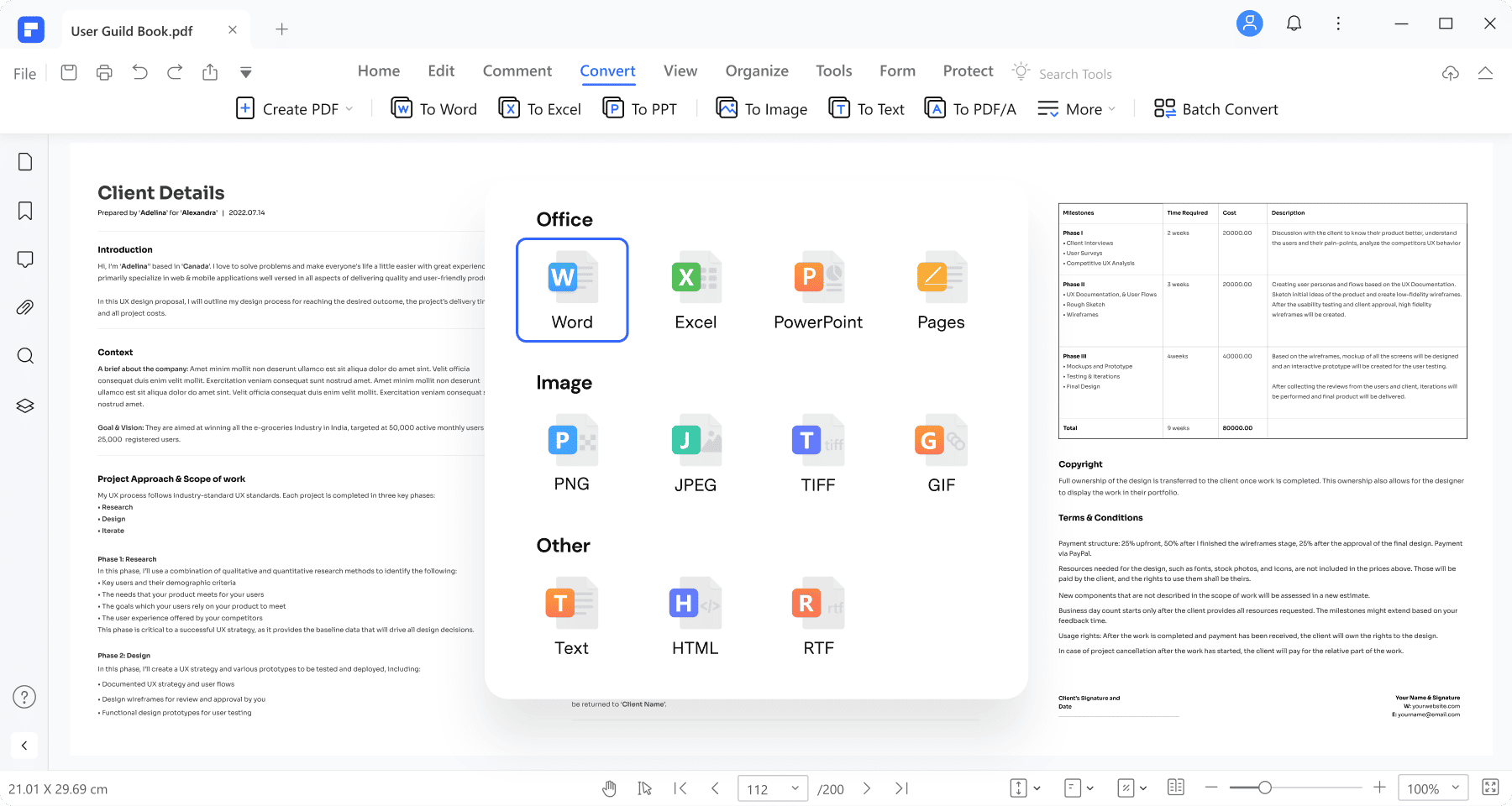 PDFelement bridges the gap between a technical editor and a design tool. In 2026, it has focused heavily on Automated Data Extraction for finance departments.
The Deep Dive: The UI is remarkably "human," organizing complex features like form field recognition into simplified, visual workflows. It handles High-DPI graphics better than most alternatives.
PDFelement bridges the gap between a technical editor and a design tool. In 2026, it has focused heavily on Automated Data Extraction for finance departments.
The Deep Dive: The UI is remarkably "human," organizing complex features like form field recognition into simplified, visual workflows. It handles High-DPI graphics better than most alternatives.
Key Capabilities:
- Form Automation: One-click recognition that transforms flat PDF forms into fillable documents.
- Batch Processing: Exceptionally reliable when converting hundreds of files across different formats.
PDF-XChange Editor – The Engineer’s Choice
 For blueprints, architectural designs, or complex legal briefs, PDF-XChange Editor is a cult classic. It prioritizes precision and technical metadata over aesthetics.
The Deep Dive: This tool provides snap-to-grid precision and granular control over PDF Shell Extensions, allowing you to search through metadata directly from Windows File Explorer.
For blueprints, architectural designs, or complex legal briefs, PDF-XChange Editor is a cult classic. It prioritizes precision and technical metadata over aesthetics.
The Deep Dive: This tool provides snap-to-grid precision and granular control over PDF Shell Extensions, allowing you to search through metadata directly from Windows File Explorer.
Key Capabilities:
- Advanced Measurement: Highly accurate tools for measuring distance and perimeter within technical drawings.
- JavaScript Support: Fully supports Acrobat’s JavaScript for complex interactive forms.
UPDF – The Multi-Platform Consumer Favorite
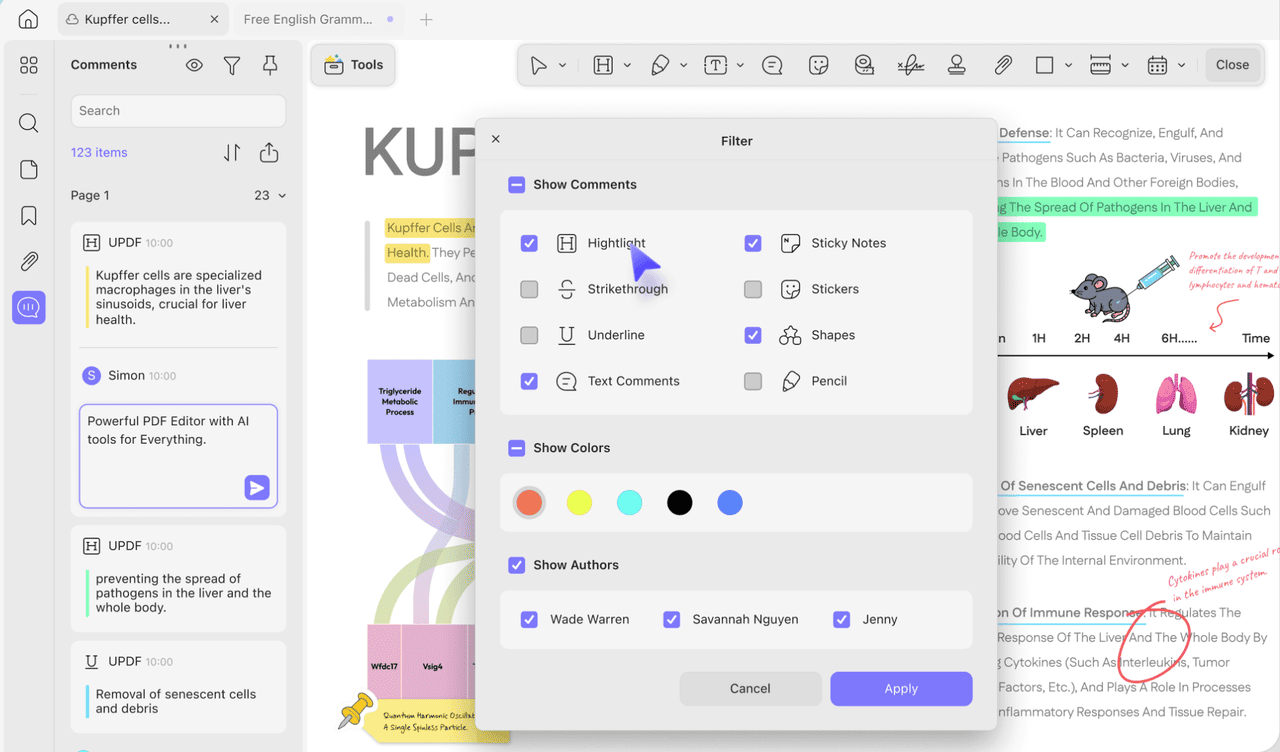 UPDF targets the individual consumer working across Mac, Windows, iOS, and Android with a single, affordable license.
The Deep Dive: Built for readability and annotation, it features a modern UI and AI-driven "Reading Modes" that automatically highlight key concepts as you scroll.
UPDF targets the individual consumer working across Mac, Windows, iOS, and Android with a single, affordable license.
The Deep Dive: Built for readability and annotation, it features a modern UI and AI-driven "Reading Modes" that automatically highlight key concepts as you scroll.
Key Capabilities:
- Seamless Sync: Start an edit on your PC and finish it on your iPad via cloud sync.
- Vibrant Annotation: A massive library of stamps and stickers for collaborative feedback.
Comparison Chart: Top 8 Adobe Acrobat Alternatives
| Software | Best For | Pricing Model | Key Strength |
|---|---|---|---|
| Foxit PDF | Enterprise | Subscription | Advanced Security & OCR |
| PDF Agile | High-Performance | Sub/Perpetual | Handling 5GB+ Files |
| Nitro PDF | Bulk Workflows | Perpetual | Batch Processing |
| Soda PDF | Hybrid Workers | Subscription | Web/Desktop Parity |
| Sejda PDF | Quick Web Edits | Freemium | Direct Text Editing |
| PDFelement | Marketing/Finance | Sub/Perpetual | Form Automation |
| PDF-XChange | Engineers/IT | Perpetual | Technical Metadata |
| UPDF | Students/Creatives | Single License | AI-Reading & UI |